HubSpot · 2020 · Sales Mobile · Part 2 of 2
What should I do next?
60 customer calls revealed the gap. Tasks, Today View, Keyboard, and Conversation Intelligence each answered a different part of the question reps ask every morning.
The 2019 features fixed specific moments - a conference, an incoming call, an email open. But after ~60 customer calls in early 2020, the gap was clear: reps had no coherent answer to the question they ask every morning. What do I actually do today?
Four features built that answer, one part at a time - three through 2020, the fourth the year after.
Starting the day
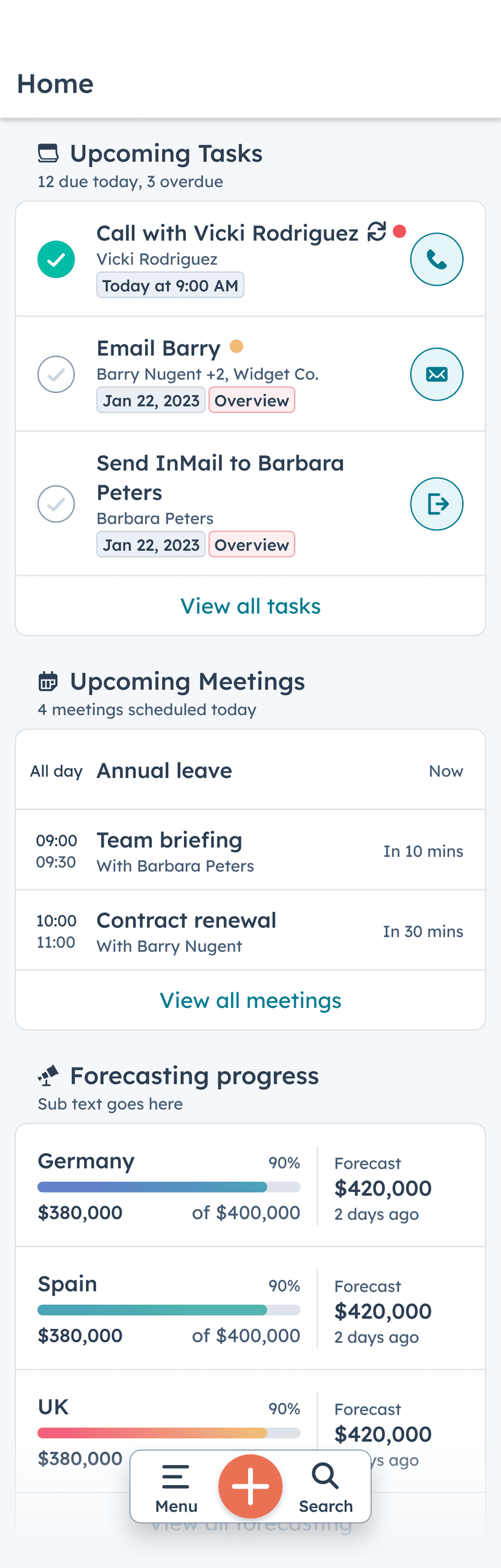
Today View - now Home
Reps juggle three to five tools and no single place tells them what to do next. Much of a rep's day is calendar-driven, yet mobile had zero visibility into scheduled meetings. Competitors - Pipedrive, Zoho, Copper - already had a Today tab. HubSpot didn't.
Customer research validated the ordering: scheduled work first, then unscheduled. Reps wanted to start the day with what was committed, then move to what was outstanding. The MVP call was Android-only, tab #1, gated inside the main app rather than a separate download - iOS users were anchored to the legacy Digest concept and would need a different approach once the Android data was in.
+2pts
retention (Android)
29%
daily engagement
0→18%
task follow-up creation
#1
Sales feature by 2022
Today View became the #1 Sales feature on mobile by 2022 - two years after shipping. It's the direct ancestor of what is now called Home in the HubSpot mobile app.
Working the list
Tasks
Tasks was the second most-created engagement in HubSpot. 30K reps used it on mobile weekly. 82% of NPS mentions were negative or neutral. Reps were working around it - pen and paper, separate to-do apps - because the mobile experience didn't fit how they actually worked.
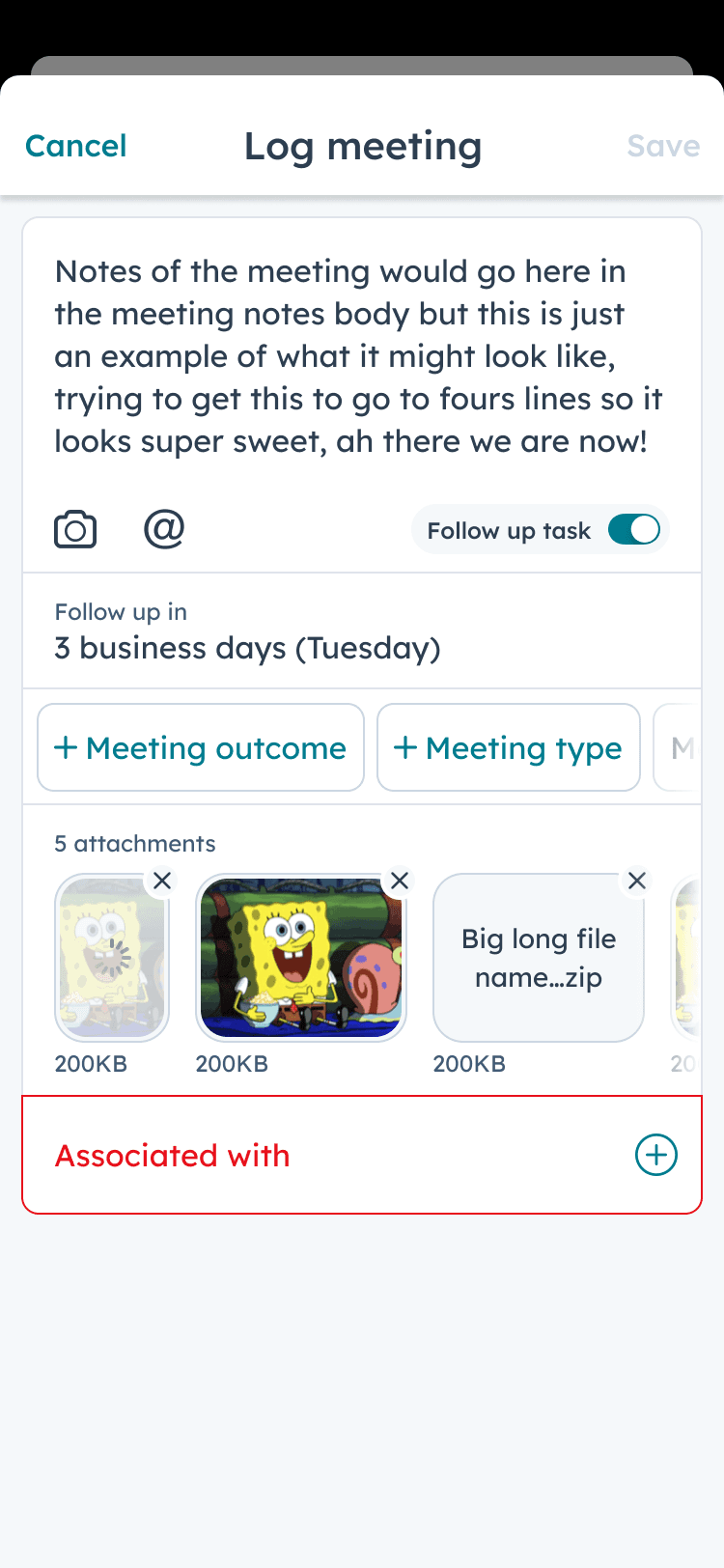
The customer calls revealed the pattern. Reps don't think about tasks as a list to manage. They move through three stages: organise what's due, action the urgent ones, create new ones in context. That became the framework for breaking a large, risky project into three milestones - each shipping one stage of value, each with a clear “what's different for you” story. You don't ask reps to change everything at once. You ship the part they're ready for.
One planned assumption didn't survive the data. We were going to scope task search to the local list a rep was viewing. Usage showed reps needed to find any task across their whole workload, not just the one in front of them - so I reversed the call to global search before it shipped.
30K
weekly task viewers
53%
then open a record
40%
then call, email, or text
Working a task pulled reps into the record, and from there into outreach. The list stopped being a parallel chore and became the on-ramp to the next call.
Composing outreach anywhere
HubSpot Keyboard
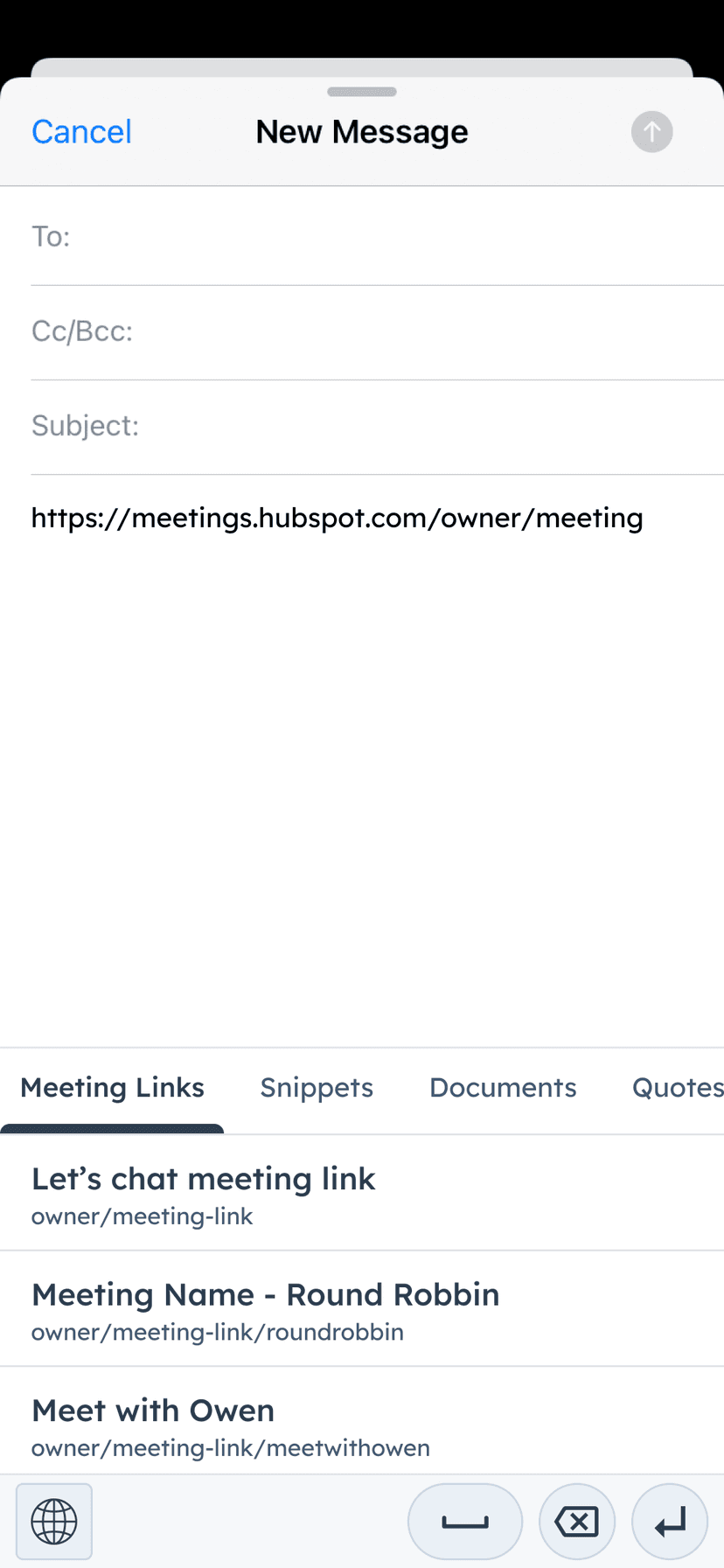
Reps work where their customers engage - email, WhatsApp, SMS. Those apps don't know about HubSpot. Every time a rep needed to insert a snippet, a meeting link, or a document, they had to leave the conversation, open HubSpot, copy the content, and come back.
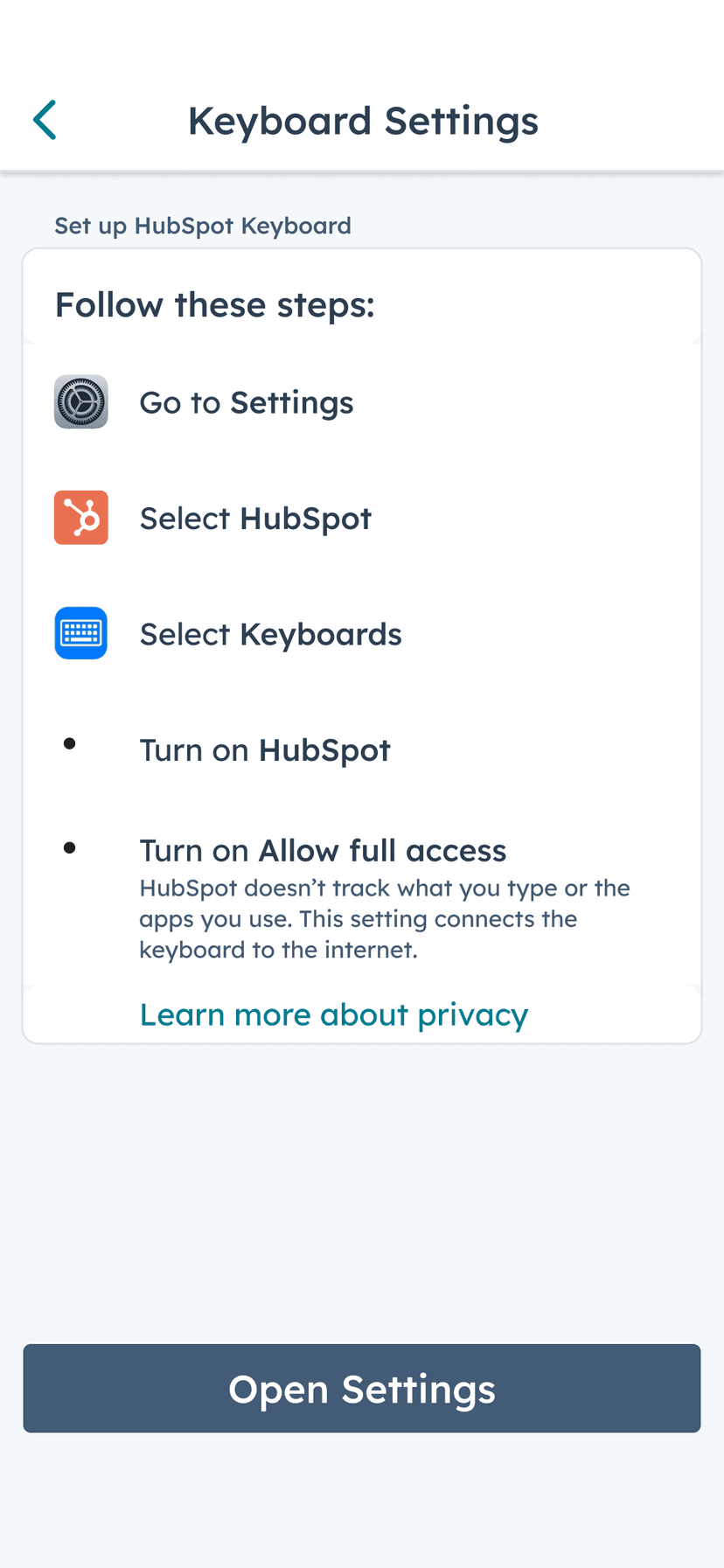
The Keyboard brought CRM sales content into any app with a text field. No CRM was doing this. The technical bet was on iOS and Android keyboard extensions - a platform capability most enterprise software was ignoring. The real product problem wasn't the feature itself. It was activation: both platforms require users to manually enable a third-party keyboard in system settings. Solving that meant engineering the onboarding around the friction, not around the feature.
The lesson generalised: any feature whose value sits behind an OS-permission step has to make that value unmistakable before the ask, or the setup wall eats the adoption. It showed up again on CallerID - the same wall, the same fix.
One customer asked directly whether the keyboard tracked keystrokes. It didn't, but the question made the privacy stance explicit: no keystroke tracking, no storage, ever. That decision went into the product spec.
Coaching on the commute
Conversation Intelligence
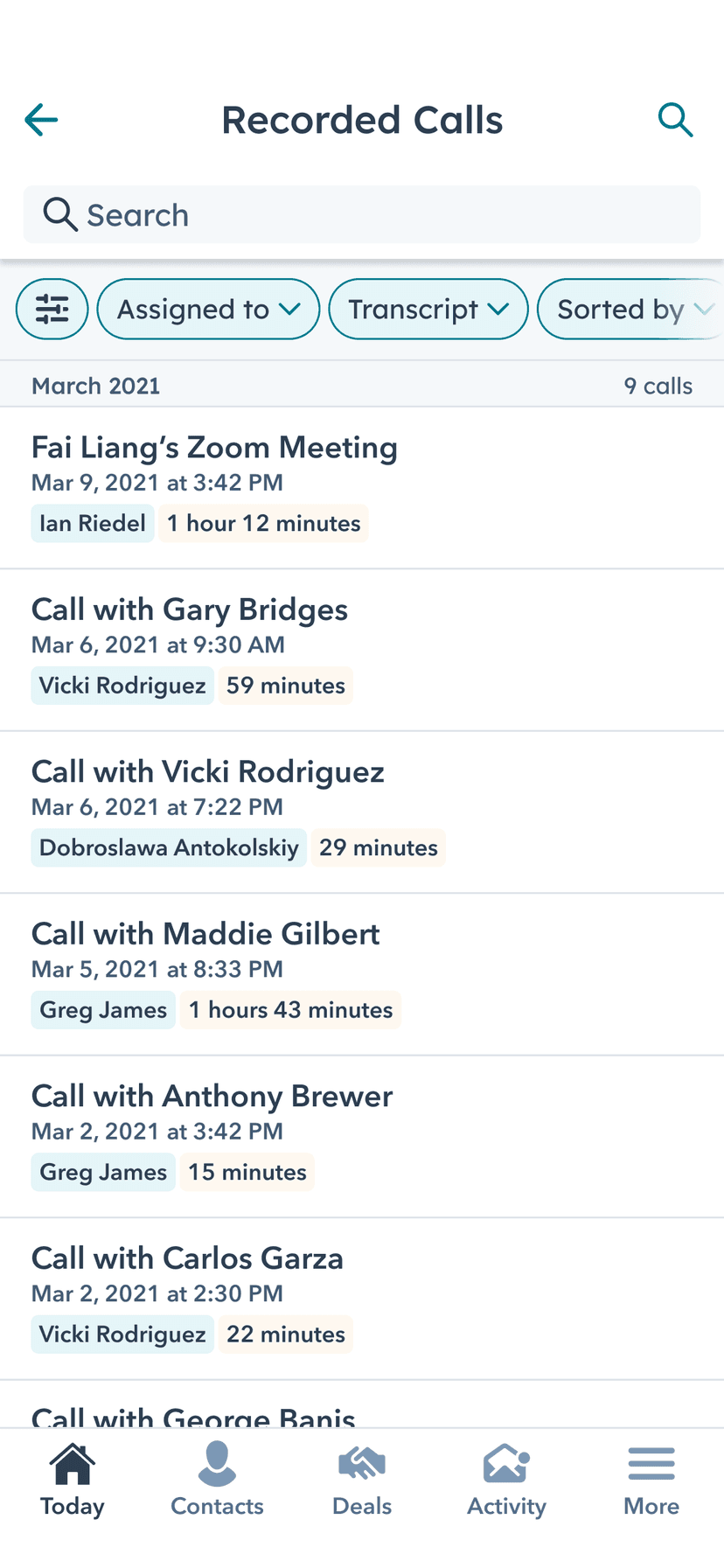
Sales managers don't have time blocked for coaching. It happens in in-between moments - on the way to a meeting, between calls, on a commute. Conversation Intelligence existed on desktop only. Reviewing a call meant opening a laptop.
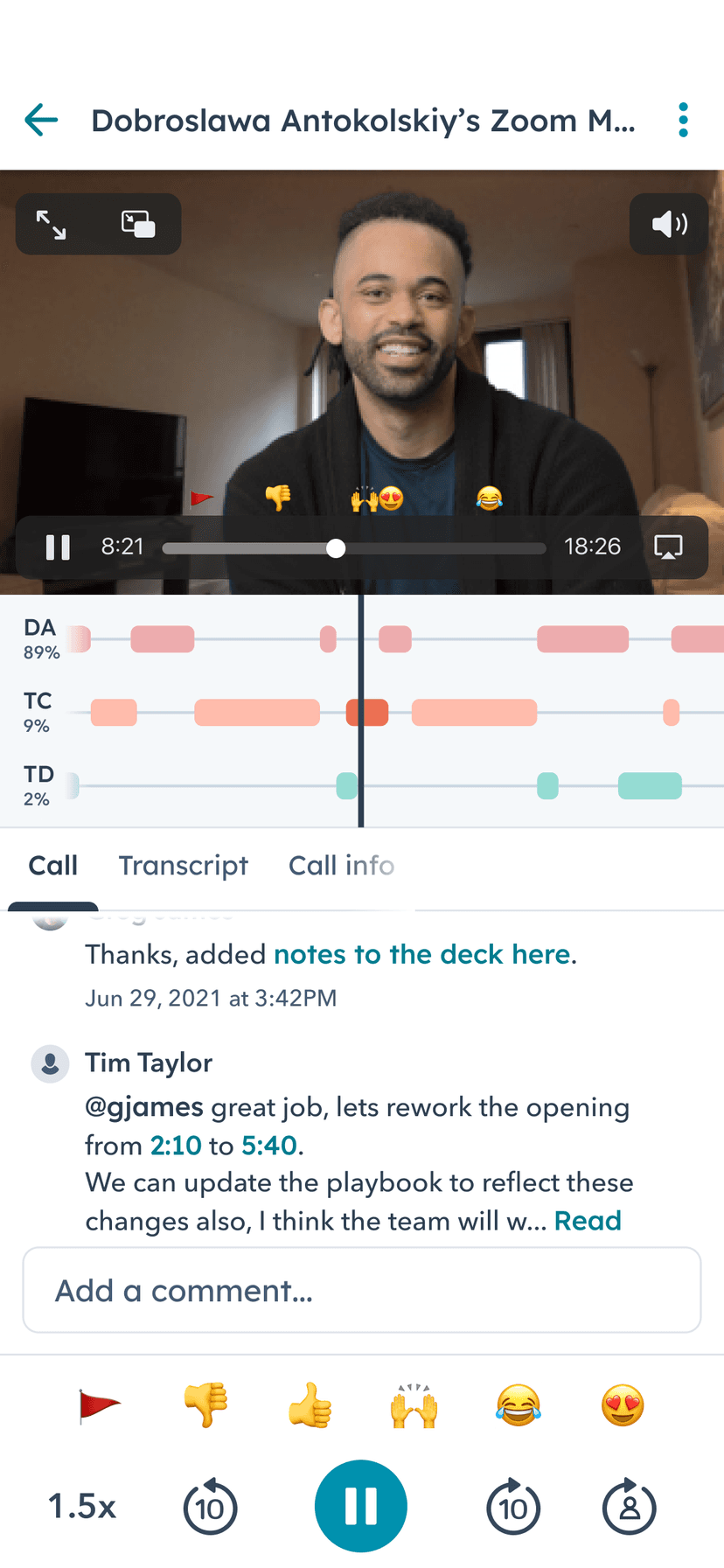
The framing for mobile CI was simple: coach your reps like you listen to a podcast. Playback with screen off, variable speed, timestamp comments, transcript. Built the following year, this was the first feature on HubSpot Mobile made specifically for a sales manager - every prior feature was built for reps. The bet was that managers spending time in the app would pull the whole team in. About 50% of all CI users accessed it on mobile.
Launch was not clean. Most managers who opened the tab had no recorded calls to review yet, so the first cohort hit an empty experience. That sent us back to fix discovery - surfacing calls worth reviewing - before the commute-coaching habit could take hold. I owned the founding strategy and the demo; the later build was a team effort.
147K
sales managers on mobile
37%
of all sales managers
~50%
of CI use on mobile
Managers were already on mobile in volume. Putting call review where they spent their in-between time made coaching fit the commute, and that pulled their teams in behind them.
Four features, one question. No single launch answered “what should I do next?” on its own. Today View set the day, Tasks worked the list, the Keyboard carried CRM content into every conversation, and Conversation Intelligence brought coaching along for the commute. The coherence is what changed how mobile felt.
Part 1 of 2
At a conference, on a call, waiting on a prospect
Business Card Scanner, CallerID, and Activity Feed - 2019